Client Onboarding Process for Service Businesses
Build a client onboarding process for service businesses with clear handoffs, accessible intake, secure access, kickoff decisions, and exception paths.
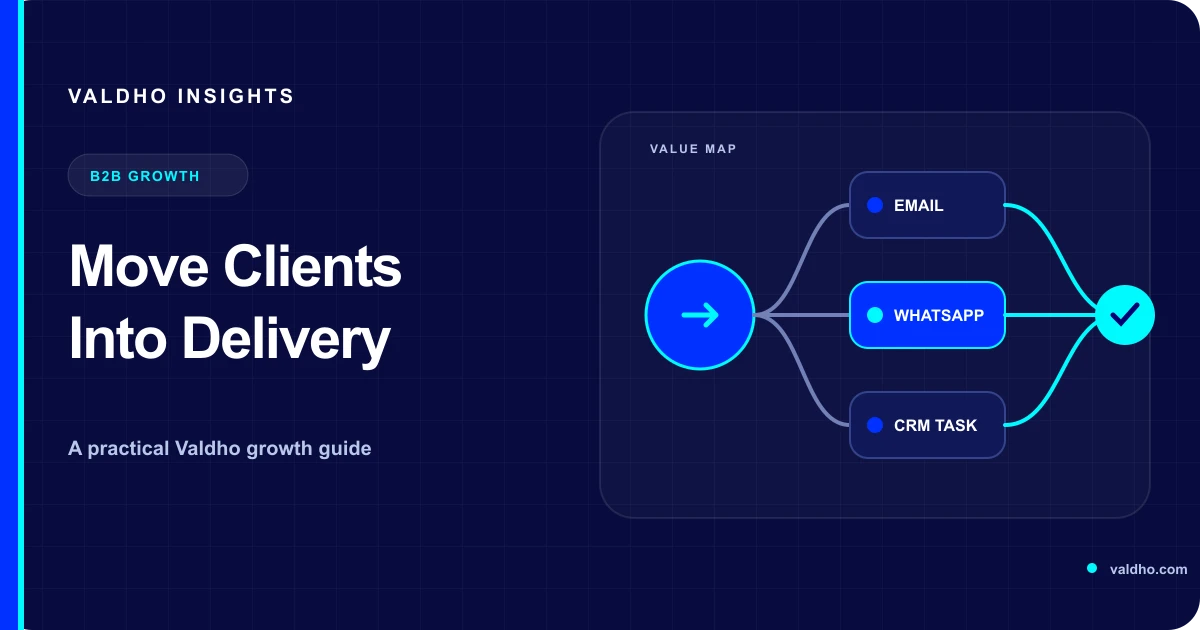
A client onboarding process for service businesses is the controlled handoff from an accepted engagement to active delivery. It gives the client a clear next step, gives the team a reliable owner, and makes missing information or access visible before it delays the work. The goal is not to send more welcome messages. The goal is to create a shared operating state in which both sides know what happens next.
For a consultant, agency, coach, or B2B service provider, onboarding often crosses sales, operations, finance, and delivery. A signed proposal can still stall when the kickoff has no owner, the intake form asks for everything at once, credentials arrive through unsafe channels, or the team starts before scope and responsibilities are understood. A useful process prevents those gaps without making every client follow an inflexible script.
Define the onboarding outcome before the steps
Start with the evidence that tells you a client is ready for delivery. This is your onboarding exit rule. It should describe an observable state rather than an activity such as welcome email sent. The exact rule depends on the service, but it normally combines commercial confirmation, an accountable client contact, the minimum required inputs, agreed access, and a scheduled first delivery action.
- The agreement, scope, price, and payment condition are recorded in the system of record.
- The client and provider each have one accountable onboarding owner.
- Required inputs are complete enough for the first delivery step, not every possible future step.
- Access has been granted through an approved method and checked by the person who needs it.
- The kickoff or working session has a purpose, participants, and preparation instructions.
- The first-value milestone and the next decision date are visible to both sides.
Create a sales-to-delivery handoff record
The handoff should preserve what the client already explained during sales. Requiring the client to repeat the problem, goals, decision context, and constraints creates avoidable friction and can introduce conflicting versions. Build one short handoff record that separates confirmed facts from assumptions and flags anything the delivery team must validate.
- Client outcome and the business reason it matters now.
- Agreed scope, exclusions, commercial terms, and relevant dates.
- Named sponsor, day-to-day contact, reviewers, and approvers.
- Promises made during sales, including any condition or dependency.
- Known risks, unanswered questions, and decisions still required.
- First delivery milestone, owner, and evidence of completion.
Ask only for information needed at this stage
Split intake into what is needed before kickoff, what is needed before the first delivery task, and what can wait. This makes the request easier to understand and reduces the chance that sensitive or irrelevant material is collected simply because it might be useful later. Give every field a purpose, owner, and retention decision.
The UK Information Commissioner's Office explains that personal data should be adequate, relevant, and limited to what is necessary for the stated purpose, and that organisations should review what they hold and remove data they no longer need. Use its current data minimisation guidance when designing intake and retention for UK personal data, and obtain appropriate advice for the jurisdictions and information involved.
Make the intake form easy to complete correctly
A client should know what each question means, why it matters, which fields are required, which formats are accepted, and what happens after submission. Group related questions, use plain labels, explain unusual terms, preserve entered information after a correctable error, and provide a person to contact when the form cannot represent the client's situation.
The W3C Web Accessibility Initiative's forms tutorial recommends identifiable controls, grouped related fields, clear instructions, input validation, and feedback. Its detailed validation guidance also explains that required input should be clearly identified, errors should be communicated accessibly, and critical entries should be reviewable or correctable. Apply those principles to the real onboarding form and test it with keyboard and assistive technologies.
Use least privilege for client access
Access is an onboarding dependency, not a reason to collect shared passwords in a general form. List each system, the task it supports, the minimum role required, the person approving access, the person receiving it, and the date it should be reviewed or removed. Prefer named accounts and provider-approved invitation flows where available. Keep secrets out of CRM notes and ordinary email threads.
NIST defines least privilege as restricting users or processes to the minimum authorisations and resources needed for their assigned tasks. Use that principle when requesting client-system access, while following the client's security policies and the specific provider's access controls.
Design the kickoff as a decision meeting
A kickoff should resolve the decisions that unlock delivery. Send the agenda and preparation instructions in advance, identify who can approve changes, and record what was decided. Avoid spending the session reading the proposal back to the client. Use the time to confirm outcomes, boundaries, working methods, dependencies, and the first milestone.
- Confirm the outcome, scope boundaries, and how a change will be handled.
- Name the provider owner, client owner, approvers, and subject experts.
- Agree the communication channel, response expectations, and meeting rhythm.
- Review open access, data, content, and stakeholder dependencies.
- Define the first-value milestone and what evidence will prove it is complete.
- Record decisions, owners, due dates, and the next review point.
Automate coordination, not judgment
Automation is useful for creating tasks, sending approved instructions, reminding an owner about a missing input, and moving a record when verified conditions are met. It should not invent answers, interpret a sensitive client concern, approve a scope change, or keep chasing after the client has asked for a pause. Define the stop and handoff rules before activating the workflow.
- Trigger only from a reliable event such as an accepted agreement or verified payment state.
- Check whether the record already exists before creating tasks or sending messages.
- Assign every missing item to one person with a due date.
- Pause when a reply, complaint, scope question, security issue, or payment exception needs judgment.
- Stop reminders when the item is complete, no longer required, or explicitly declined.
- Log the reason for manual overrides so the process can be improved.
Plan exception paths before launch
The happy path is only one version of onboarding. A resilient process also covers delayed payment, unavailable stakeholders, incomplete intake, denied access, conflicting scope, accessibility needs, security review, and a client who changes the start date. Each exception needs a visible state, an owner, and a safe next action.
Example onboarding plan for a service engagement
Treat this as a planning example, not a universal timeline. On acceptance, create the client record, confirm the commercial state, assign the onboarding owner, and send one welcome message with the immediate next action. Before kickoff, collect only the inputs needed for that meeting and verify critical access. At kickoff, confirm decisions and the first milestone. After kickoff, send the decision record, create owned tasks, and move the client to active delivery only when the readiness rule passes.
Measure readiness and recovery
Do not judge onboarding by message volume or form completion alone. Measure whether clients reach a valid delivery-ready state, how often required inputs are missing, where exceptions occur, and whether the first milestone is completed with the agreed evidence. Compare similar services and client types rather than turning one average into a promise or benchmark.
- Accepted engagements with an assigned onboarding owner.
- Clients meeting the readiness rule before delivery begins.
- Time spent waiting by reason, owner, service, and client segment.
- Forms returned with errors, missing fields, or support requests.
- Access requests rejected, reduced, delayed, or removed after use.
- First milestones completed, delayed, reworked, or re-scoped with reasons.
Implement the process in seven steps
- Map the current path from accepted engagement to the first delivery milestone.
- Define the readiness rule and the evidence required for each service type.
- Create one sales-to-delivery handoff record with confirmed facts and open questions.
- Reduce intake to the information needed for the current stage, then test accessibility and errors.
- Document access roles, approvals, review dates, and removal steps.
- Add reminders, stop rules, duplicate protection, exceptions, and human handoffs.
- Pilot with a small set of appropriate engagements and revise from recorded evidence.
Client onboarding checklist
- The client and provider each know the accountable onboarding owner.
- The handoff preserves agreed scope, outcomes, constraints, and unresolved questions.
- The intake asks only for information needed at the current stage.
- Instructions, labels, validation, errors, and confirmation are accessible and clear.
- System access uses named accounts and the minimum role required for the task.
- The kickoff has decisions to make, prepared participants, and a written outcome.
- Automation pauses for replies, exceptions, security concerns, and scope changes.
- Blocked work shows a reason, owner, safe next action, and review date.
- Active delivery begins only when the documented readiness rule passes.
When your handoff fields, owners, and readiness rules are defined, review Valdho's sales CRM and pipeline for keeping client context, ownership, notes, and follow-ups visible. Explore workflow automation for building reviewed coordination steps and lifecycle controls. Then compare the users, workflows, and limits you need on the Valdho pricing page before choosing a plan.
Put the playbook into practice
Build the journey and automate the next step with Valdho
Create pages, capture and qualify leads, automate follow-up, and measure conversion from one connected workspace.
Start 14-day trial