WhatsApp Lead Follow-Up Workflow After a Form
Build a permission-aware WhatsApp lead follow-up workflow with clear routing, useful first messages, human handoffs, stop rules, and testing steps.
A WhatsApp lead follow-up workflow should answer five questions before it sends anything: did this person ask to hear from this business on WhatsApp, what did they request, who owns the next step, what should happen if they reply, and what must stop the automation? A fast message is useful only when it is expected, relevant, and connected to a real path forward.
This guide gives coaches, consultants, B2B teams, and service providers a proposed operating model for the minutes and days after a form submission. The examples are planning rules, not legal advice, performance benchmarks, or promised customer results. Adapt them to your offer, market, messaging setup, and applicable requirements.
1. Treat the form as a routing contract
Start with the form in your B2B lead generation funnel. Collect only the information needed to choose a useful next step. A practical minimum might be the person's name, mobile number, reason for enquiring, preferred next action, and an explicit WhatsApp communication choice where required. Keep the page promise, form wording, and first message aligned.
The current WhatsApp Business Messaging Policy says a business may contact people on WhatsApp only when they have provided their mobile number and given opt-in permission for subsequent messages or calls. It also makes the business responsible for meeting applicable notice, permission, and consent requirements. A phone field by itself is therefore not a complete WhatsApp follow-up rule.
- State the business name beside the communication choice.
- Describe the WhatsApp message the person should expect, such as an enquiry response or booking help.
- Keep the choice separate enough that it is understandable, rather than hiding it inside general terms.
- Record the form, wording version, source, time, and communication choice with the lead.
- Do not reinterpret an email preference, phone number, or unrelated request as permission for every WhatsApp campaign.
2. Decide whether the lead should receive a message
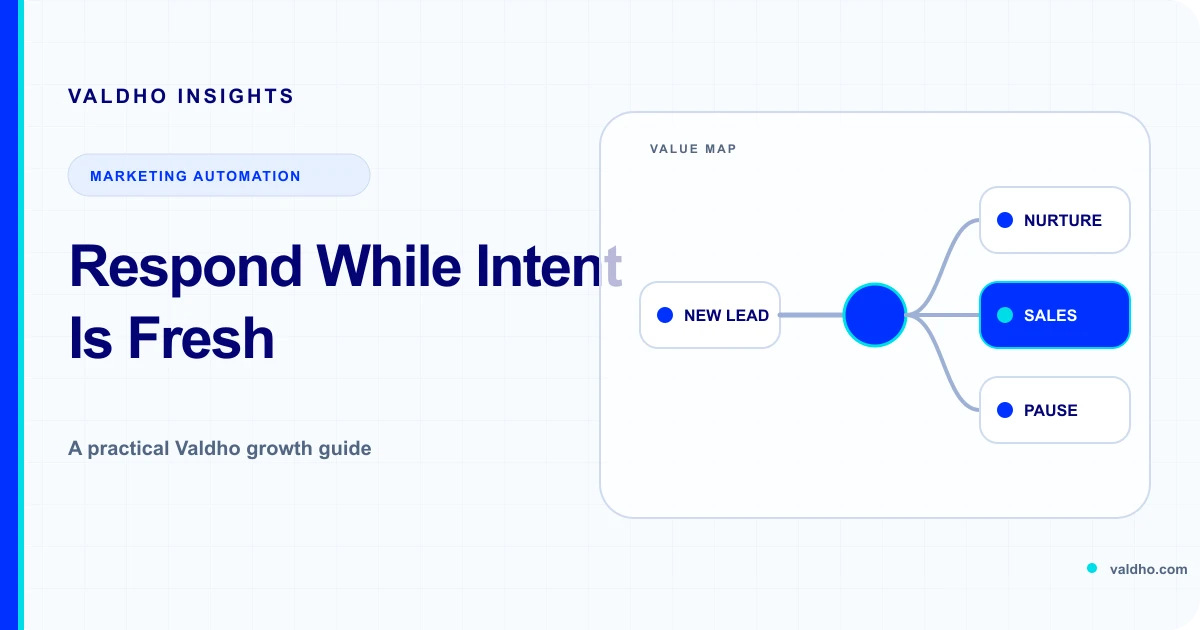
A form event should start a decision, not guarantee a send. First confirm that the submission is valid, the phone number is usable for the intended route, the recorded preference supports the message, and no suppression or duplicate rule applies. Then use the form context to choose the smallest useful response.
- Send now: the request is valid, the WhatsApp expectation is clear, and an immediate response helps the prospect continue.
- Assign to a person: the enquiry is sensitive, complex, high value, or asks a question that needs judgment.
- Use another requested channel: the lead chose email or a call instead of WhatsApp.
- Hold for review: required context is missing, the number format is uncertain, or ownership cannot be determined.
- Stop: the record is a duplicate, test, spam submission, prior opt-out, or otherwise excluded by the team's documented rules.
Make one team responsible for each route. For example, marketing can own form wording and source context, operations can own workflow conditions, and sales can own human responses and disposition. The exact roles can differ, but an unowned reply queue is not a complete workflow.
3. Design the first WhatsApp message around the request
Meta's current overview of business chat controls on WhatsApp says people can opt in through a business website, store, or WhatsApp, can block or report a business, and can change their preferences. It also says businesses using the WhatsApp Business Platform can initiate messages only with pre-approved templates. Confirm the current requirements for your own account and message category before launch.
Write the first message as a continuation of the form, not a new campaign. Identify the business, acknowledge the request in plain language, deliver or explain the promised next step, and offer one simple action. Avoid adding an unrelated promotion merely because the lead is newly available.
- Identity: name the business immediately.
- Context: refer to the request without exposing sensitive form answers.
- Value: provide the promised resource, answer, confirmation, or next-step explanation.
- Choice: ask one question with a small number of clear options.
- Control: make the stop path easy to understand and implement.
4. Branch on evidence, not elapsed time alone
A useful workflow reacts to what actually happened. Define a small state model before writing a long sequence. Each state needs an entry condition, owner, next action, and exit rule. Time can trigger a review or reminder, but it should not erase a reply, booking, reassignment, or opt-out.
- No reply: consider one context-preserving reminder, then pause according to the agreed cadence.
- Positive reply: assign the conversation, cancel competing automation, and give the owner the form context.
- Question or objection: route to a person who can answer accurately rather than guessing with a generic branch.
- Meeting booked: stop booking prompts and move to the relevant confirmation or preparation journey.
- Not ready: record the requested timing and use only the follow-up the person agreed to receive.
- Wrong person or number: suppress the route and correct the record instead of continuing the sequence.
- Opt-out or block request: stop the applicable WhatsApp communication and preserve the suppression decision.
The WhatsApp policy requires businesses to respect requests made on or off WhatsApp to block, discontinue, or opt out of communications. The UK's current ICO electronic mail marketing guidance separately explains that people can withdraw consent and that organisations must stop the affected unsolicited electronic mail marketing. Rules vary by location and recipient type, so use qualified advice for the markets you serve rather than treating one regional example as a global rule.
5. Define the human handoff before automation starts
A handoff is complete only when a named person or queue can see the lead, understand why it was assigned, and knows the response expectation. Passing a record into a CRM stage without notifying an owner can create the appearance of progress while the conversation waits.
- Handoff trigger: reply, qualification answer, meeting request, pricing question, complaint, or another documented signal.
- Context package: source page, submitted need, communication preference, messages already sent, replies, and the next promised action.
- Ownership rule: named representative, round-robin queue, territory, account owner, or specialist.
- Acknowledgement rule: how the system records that a person accepted the conversation.
- Fallback rule: where the lead goes if nobody accepts it within the team's chosen service window.
- Automation rule: which messages pause immediately and what may resume only after a documented outcome.
For a service business, match these decisions to the journey described on Valdho's service provider solution page. The operational goal is continuity: the person who takes over should not ask the lead to repeat information already collected, and the workflow should not keep sending prompts that conflict with the live conversation.
6. Test the workflow with a decision table
Test every branch with approved test data before enabling the journey for real leads. Record the input, expected route, expected message or suppression, observed result, owner, and correction. Test failures as carefully as success paths. A message accepted by a system is not proof that the business rule, recipient, or follow-up state is correct.
- Valid opted-in enquiry: one expected first message and one lead record.
- No WhatsApp choice: no WhatsApp send; use only the permitted route.
- Duplicate submission: no duplicate conversation or competing owner assignment.
- Immediate reply: scheduled prompts pause and the correct person receives the context.
- Booking completed: booking invitations stop and the next journey begins once.
- Opt-out: future applicable sends remain blocked after imports, edits, and workflow restarts.
- Send or routing failure: the record remains visible for review and is not silently discarded.
- After-hours enquiry: the message and ownership behavior match the expectation stated on the form.
7. Measure decisions the team can improve
Measure the workflow as a sequence of distinct business states. Useful operating counts can include valid form submissions, leads eligible for the WhatsApp route, first messages attempted, replies, human handoffs accepted, meetings booked, opt-outs, and unresolved exceptions. Do not combine them into one conversion total or present delivery as a sale.
- Eligibility rate: which valid leads met the documented WhatsApp route conditions?
- Reply distribution: which message choices or questions produced actionable replies?
- Handoff completion: did an owner accept the conversation with the required context?
- Exception backlog: how many records need review because routing or messaging failed?
- Stop-rule accuracy: did bookings, replies, reassignment, and opt-outs cancel the right actions?
- Downstream outcome: which conversations progressed to the business outcome, reported separately from messaging events?
WhatsApp lead follow-up workflow checklist
- The form names the business, channel, purpose, and expected next step clearly.
- The lead record preserves the source and communication choice used for routing.
- Every submission is checked for validity, duplication, suppression, and ownership.
- The first message continues the request and offers one useful action.
- Reply, booking, reassignment, failure, and opt-out states each have explicit rules.
- Human owners receive context and acknowledge the handoff.
- Success and failure paths have recorded test results.
- Messaging events and business outcomes are reported separately.
- A named owner and review date are assigned to the workflow.
Ready to connect your form, lead context, and supported WhatsApp follow-up? Compare Valdho plans against the workflow you have mapped. Bring your routing, permission, handoff, and stop-rule checklist to setup, then confirm the supported messaging path for your chosen journey before launch.
Put the playbook into practice
Build the journey and automate the next step with Valdho
Create pages, capture and qualify leads, automate follow-up, and measure conversion from one connected workspace.
Start 14-day trial